
Introduction
According to Wikipedia:
Hugging Face, Inc. is a French-American company that develops tools for building applications using machine learning. It is known for its Transformers library built for natural language processing applications, and its platform that allows users to share datasets and machine learning models.
Table of contents
Table of contents
Step by Step
- Go to
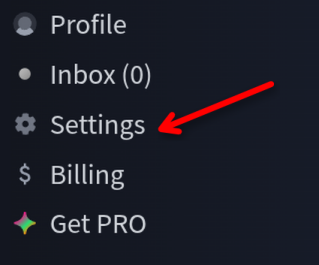
huggingface.coand sign in to your account. If you do not have one, sign up. - Go to Settings:
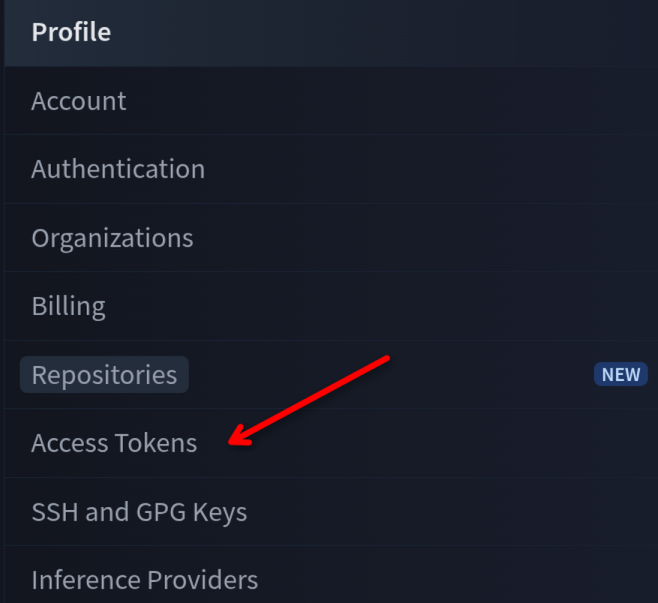
- In the side menu, select “Access Tokens”:
- Click “Create new token”:

- Give it a name, select type “
Write” (required for uploading datasets) or “Read” (read-only). You can also create a Fine grained token with specific permissions, but for most use cases this is not necessary. - Click “Generate a token” and copy it.
Useful CLI Commands
hf auth loginlogs in to HuggingFace.hf auth listlists authorized tokens.hf auth whoamishows which user is currently logged in.
Bonus
The HF_DEBUG variable set to 1 can be used to debug interactions with HuggingFace.