Introduction
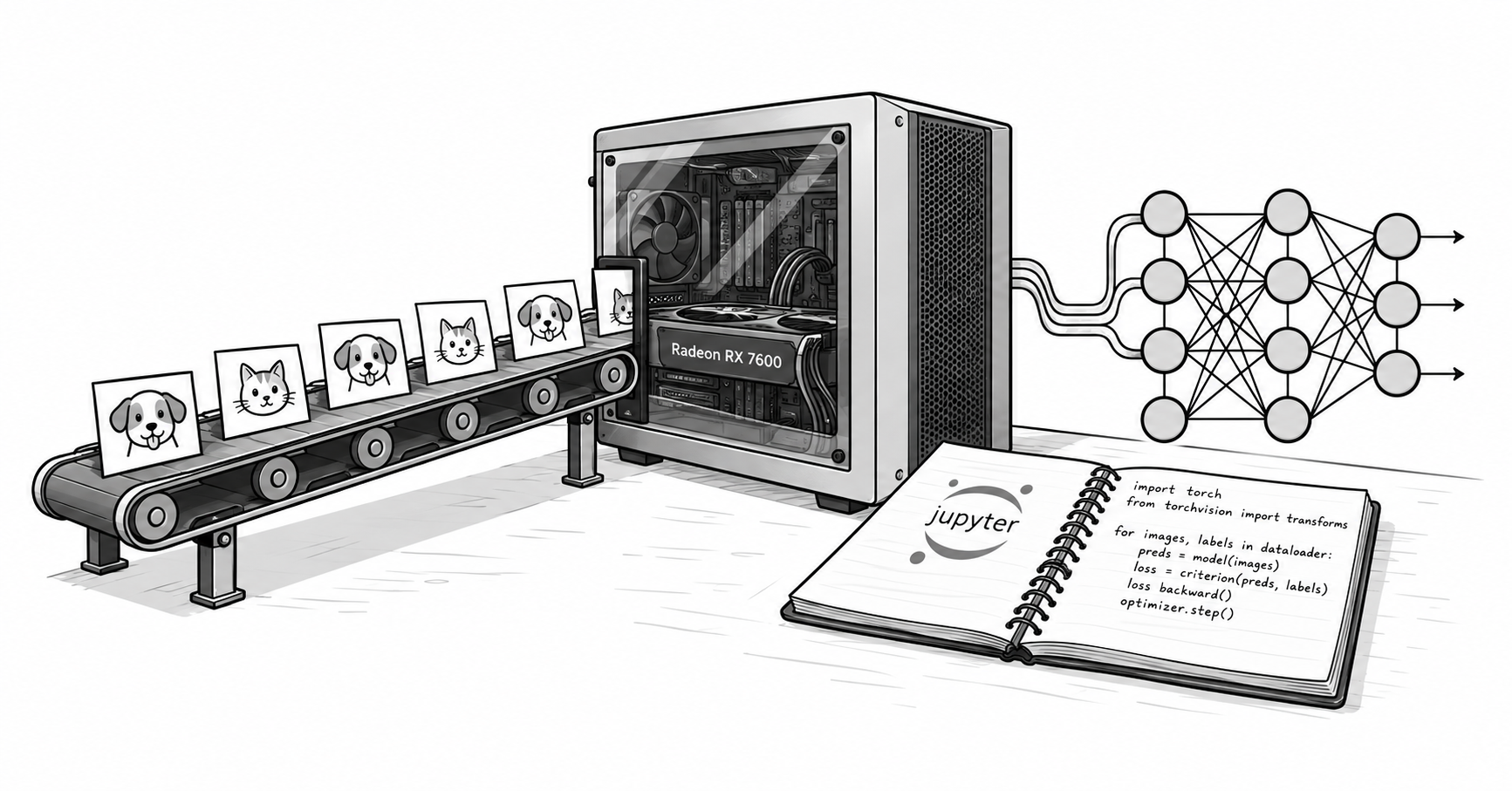
I recently had to complete an assignment for my master’s degree that involved training several image classification models with Keras and TensorFlow. My current machine has an AMD Radeon RX 7600 (with only 8 GB of VRAM) and runs Debian Sid, but unfortunately TensorFlow has no official ROCm support for this card. Fortunately, since version 3, Keras has been backend agnostic, which means you can switch the training engine to PyTorch, which supports ROCm and can use the GPU. This lets you train Keras models on the Radeon RX 7600 while TensorFlow continues preparing the data on the CPU.
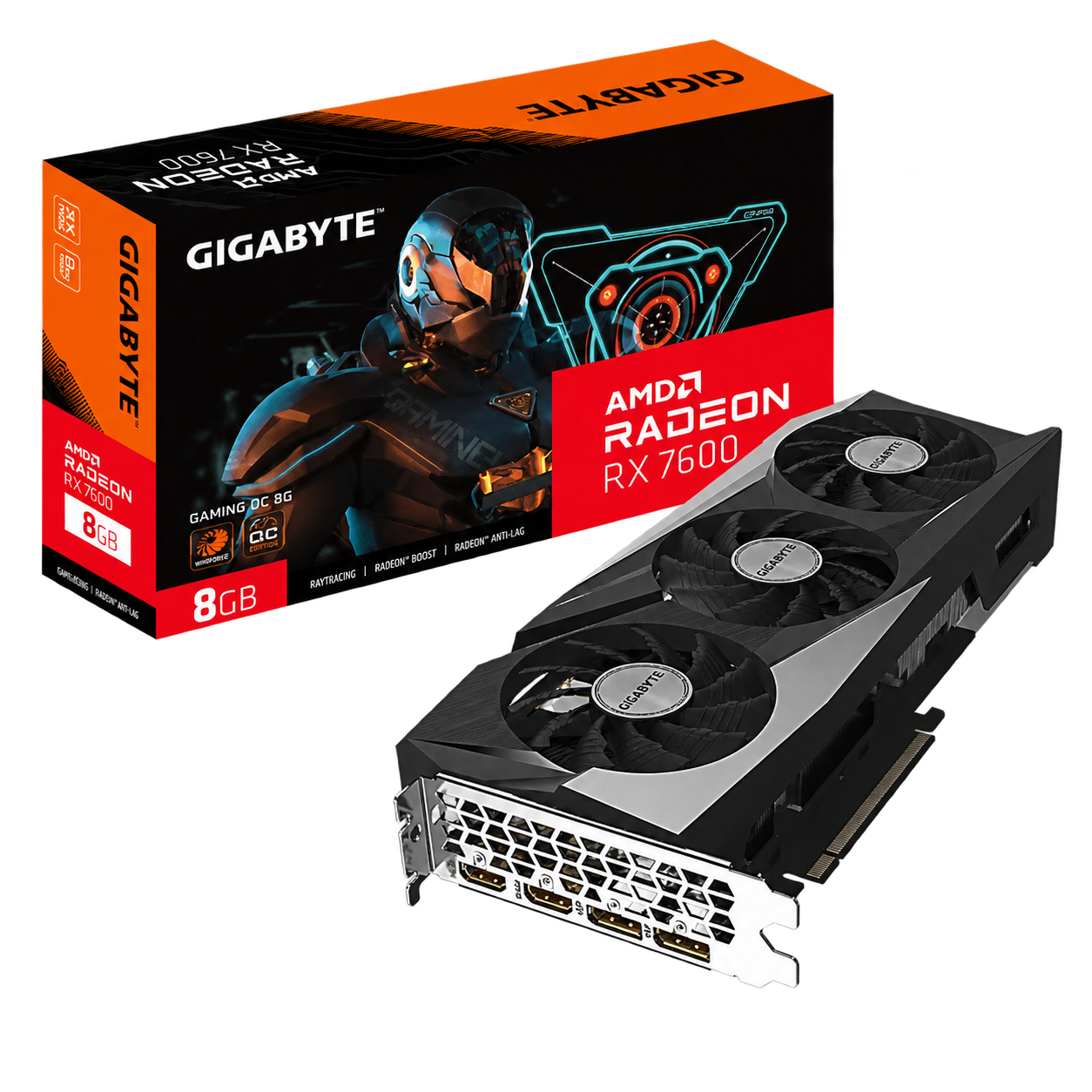
So, if your notebook uses Keras and TensorFlow only detects the CPU, you can keep the model’s layers and change the training engine. In this guide, you will configure Keras 3 with the PyTorch backend and ROCm to use an AMD Radeon RX 7600 on Linux. TensorFlow will keep preparing the data on the CPU.
The reference case is a classifier for 37 breeds of cats and dogs using MobileNetV2. Local measurements recorded around 5 seconds per epoch on the GPU versus 28.6 seconds on the CPU. The result applies to that machine and workload: check basic operations first, then measure your own training.
Table of contents
Table of contents
- What changing the backend solves
- Prerequisites and reference environment
- Step 1: check ROCm and GPU permissions
- Step 2: install PyTorch with ROCm in the virtual environment
- Step 3: test matrices and convolutions before the notebook
- Step 4: configure Keras at the start of the notebook
- Step 5: train MobileNetV2 with TensorFlow Datasets
- Interpreting performance and memory usage
- Portability, saving, and reproducibility
- Keeping a configuration for Colab
- Troubleshooting
- Verified sources
What changing the backend solves
Keras defines the model and delegates its execution to a backend. When you
select torch, portable Keras layers use PyTorch, whose ROCm build runs GPU
operations through AMD’s libraries.
flowchart TD
    A[Images on disk] --> B[TensorFlow Datasets and tf.data on CPU]
    B --> C[Keras 3 model]
    C --> D[PyTorch backend with ROCm]
    D --> E[AMD Radeon RX 7600]
The TensorFlow package used in the reference environment looked for CUDA and could not train on the Radeon. Changing a variable does not turn that TensorFlow build into a ROCm build. AMD distributes options for TensorFlow, but their compatibility depends on the GPU, the system, and the Python and ROCm versions.
The approach verified on this machine was to change the Keras backend. This
works with models built using portable operations; layers or training loops
written directly with tf.* need to be reviewed.
Prerequisites and reference environment
You need Linux with the amdgpu driver, access to the compute devices, and a
working ROCm installation. This guide assumes that setup is already in place: it
does not replace AMD’s instructions for installing the driver on your
distribution. Run the commands from the root of your training project.
| Component | Recorded value |
|---|---|
| GPU | AMD Radeon RX 7600, gfx1102, 8,176 MiB of VRAM |
| CPU | AMD Ryzen 9 5900XT, 16 cores |
| Kernel | Linux 7.1.13+deb14-amd64 |
| Driver | amdgpu |
| System ROCm | rocm-core 7.1.1 |
| System HIP | hip-runtime-amd 7.1.52802 |
| System MIOpen | 3.5.1 |
| HIP reported by PyTorch | 6.4.43484-123eb5128 |
| PyTorch Triton | pytorch-triton-rocm 3.5.1 |
The rocm6.4 suffix identifies the PyTorch build; it is not the version of the
rocm-core package installed on the system. Both versions coexisted on the
reference machine. Do not extrapolate that result to arbitrary combinations of
libraries and drivers: check
driver
and user space compatibility.
Step 1: check ROCm and GPU permissions
Check that ROCm recognizes the card:
rocminfo | grep -E "Marketing Name|gfx"rocm-smi --showmeminfo vramThe reference machine’s rocminfo entries include:
Marketing Name: AMD Radeon RX 7600 Name: gfx1102If rocminfo does not detect the GPU, fix the ROCm installation first. If it
fails because of permissions, inspect the devices and your session’s groups:
ls -l /dev/kfd /dev/dri/renderD*idOn systems that grant access through the render and video groups, add your
user and log in again:
sudo usermod -aG render,video "$USER"A graphical session may receive permissions through ACLs even if the user does not belong to those groups. That is why a local test can work while the same test over SSH fails. AMD documents both mechanisms in its installation prerequisites.
Step 2: install PyTorch with ROCm in the virtual environment
If you already have a .venv environment with Keras 3 and TensorFlow, use it.
To create a new one, first check that python3.13 is the interpreter you want
to use:
python3.13 --versionpython3.13 -m venv .venvInstall PyTorch 2.9.1 from the ROCm index:
.venv/bin/python -m pip install "torch==2.9.1" \ --index-url https://download.pytorch.org/whl/rocm6.4The index selects the ROCm packages. The command appears in the
PyTorch
2.9.1 instructions; these examples only need torch, without torchvision
or torchaudio. Allow several gigabytes of disk space for the download and
installation.
In a new environment, also install the packages used by the examples:
.venv/bin/python -m pip install \ "keras==3.15.1" "tensorflow==2.21.0" \ "tensorflow-datasets==4.9.10" "numpy==2.5.2".venv/bin/python -m pip checkThese commands pin the main dependency versions of the tested environment. If
pip cannot find a package for your interpreter or platform, check its wheels
before substituting versions.
Verify the build and GPU access:
.venv/bin/python -c "import torch; print(torch.__version__, torch.cuda.is_available())"Recorded output:
2.9.1+rocm6.4 TrueEven though the GPU is AMD, PyTorch uses the torch.cuda namespace and the
cuda:0 device. This is the documented behavior of its
HIP
implementation. Also check torch.version.hip: it must have a value in a
ROCm build.
Step 3: test matrices and convolutions before the notebook
Detecting the card does not prove that the model’s operations work. Save the
following as probar_rocm.py. It first checks a matrix multiplication, then
trains a convolution with Keras. Synthetic data prevents a download or the
dataset from masking a GPU failure.
import os
os.environ["KERAS_BACKEND"] = "torch"
import numpy as npimport torchimport keras
assert torch.version.hip is not None, "PyTorch no utiliza ROCm"assert torch.cuda.is_available(), "La GPU no está disponible"assert keras.backend.backend() == "torch", "Backend incorrecto"print("PyTorch:", torch.__version__, "HIP:", torch.version.hip)print("GPU:", torch.cuda.get_device_name(0))
a = torch.randn(1024, 1024, device="cuda:0")b = torch.randn(1024, 1024, device="cuda:0")c = a @ btorch.cuda.synchronize()assert torch.isfinite(c).all().item(), "Resultado no finito"print("OK: multiplicación de matrices")del a, b, c
keras.utils.set_random_seed(42)model = keras.Sequential([    keras.layers.Input(shape=(32, 32, 3)),    keras.layers.Conv2D(8, 3, activation="relu"),    keras.layers.GlobalAveragePooling2D(),    keras.layers.Dense(2, activation="softmax"),])model.compile(optimizer="adam", loss="sparse_categorical_crossentropy")x = np.random.rand(32, 32, 32, 3).astype("float32")y = np.random.randint(0, 2, size=32)history = model.fit(x, y, batch_size=8, epochs=1, verbose=2)torch.cuda.synchronize()assert np.isfinite(history.history["loss"]).all(), "Pérdida no finita"assert all(p.device.type == "cuda" for p in model.parameters())print("OK: entrenamiento de convolución en GPU")print("VRAM pico, MiB:", round(torch.cuda.max_memory_allocated() / 2**20))
Run the test:
.venv/bin/python probar_rocm.pyIt must complete both checks. The second also exercises backpropagation through the convolution and verifies that the model parameters are on the GPU. Use this test to verify the installation before measuring performance with a real dataset.
Step 4: configure Keras at the start of the notebook
Select the .venv/bin/python interpreter in Jupyter. Restart the kernel and run
this cell before importing Keras or modules that import it:
import os
os.environ["KERAS_BACKEND"] = "torch"
import tensorflow as tf
tf.config.set_visible_devices([], "GPU")
import kerasimport torch
keras.utils.set_random_seed(42)assert keras.backend.backend() == "torch", "Reinicia el kernel"assert torch.cuda.is_available(), "La GPU no está disponible"print("Backend:", keras.backend.backend())print("GPU:", torch.cuda.get_device_name(0))
tf.config.set_visible_devices([], "GPU") prevents TensorFlow from using the
GPU and keeps tf.data processing on the CPU. It does not disable the GPU for
PyTorch or guarantee that all CUDA messages disappear when importing TensorFlow.
Use import keras and imports from keras.layers, keras.models, and
keras.callbacks. The direct import makes the use of Keras 3 explicit and
avoids mixing it with the legacy tf_keras package. In modern TensorFlow,
tf.keras can also point to Keras 3. See the
official Keras setup
instructions.
To start Jupyter with the backend already defined, if it is installed in that environment:
KERAS_BACKEND=torch .venv/bin/jupyter labWriting the variable in a .env file does not automatically load it into
Python. If you ran imports in a different order, restart the kernel.
Step 5: train MobileNetV2 with TensorFlow Datasets
To check a complete training run, use MobileNetV2 with the public Oxford-IIIT Pet dataset, which contains images of 37 breeds of cats and dogs. The example shows how to feed a Keras model with data prepared by TensorFlow and compare its execution on CPU and GPU.
Save the code as entrenar_keras.py in the project root. It needs a copy
prepared by TFDS in datasets/. Download and prepare it once:
.venv/bin/python -c "import tensorflow_datasets as tfds; tfds.builder('oxford_iiit_pet:4.0.0', data_dir='datasets').download_and_prepare()"Afterward, download=False is used to detect a missing copy without starting
another download. MobileNetV2’s ImageNet weights are downloaded the first time
Keras needs them.
import osimport sysimport timefrom pathlib import Path
os.environ["KERAS_BACKEND"] = "torch"usar_cpu = "cpu" in sys.argv[1:]if usar_cpu:    os.environ["HIP_VISIBLE_DEVICES"] = "-1"    os.environ["CUDA_VISIBLE_DEVICES"] = "-1"
import tensorflow as tf
tf.config.set_visible_devices([], "GPU")
import tensorflow_datasets as tfdsimport torchimport keras
assert keras.backend.backend() == "torch"if usar_cpu:    assert not torch.cuda.is_available(), "La GPU sigue visible"else:    assert torch.version.hip is not None, "PyTorch no utiliza ROCm"    assert torch.cuda.is_available(), "La GPU no está disponible"
keras.utils.set_random_seed(42)data_dir = str(Path(__file__).resolve().parent / "datasets")(train_raw, val_raw, test_raw), info = tfds.load(    "oxford_iiit_pet:4.0.0",    split=["train[:80%]", "train[80%:90%]", "train[90%:]"],    with_info=True,    as_supervised=True,    data_dir=data_dir,    download=False,)
def preparar(imagen, etiqueta):    imagen = tf.image.resize(imagen, (160, 160))    return imagen / 127.5 - 1.0, etiqueta
auto = tf.data.AUTOTUNEtrain = train_raw.map(preparar, num_parallel_calls=auto)train = train.batch(32).prefetch(auto)val = val_raw.map(preparar, num_parallel_calls=auto)val = val.batch(32).prefetch(auto)
base = keras.applications.MobileNetV2(    input_shape=(160, 160, 3), include_top=False, weights="imagenet")base.trainable = Falsemodel = keras.Sequential([    base,    keras.layers.GlobalAveragePooling2D(),    keras.layers.Dropout(0.2),    keras.layers.Dense(info.features["label"].num_classes),])model.compile(    optimizer="adam",    loss=keras.losses.SparseCategoricalCrossentropy(from_logits=True),    metrics=["accuracy"],)
if not usar_cpu:    torch.cuda.reset_peak_memory_stats()    torch.cuda.synchronize()inicio = time.perf_counter()history = model.fit(train, validation_data=val, epochs=3, verbose=2)if not usar_cpu:    torch.cuda.synchronize()segundos = time.perf_counter() - iniciodispositivo = "cpu" if usar_cpu else "cuda"assert all(p.device.type == dispositivo for p in model.parameters())print("Dispositivo:", dispositivo)print(f"Total: {segundos:.1f} s; media: {segundos / 3:.1f} s/época")print("Exactitud de validación:", history.history["val_accuracy"][-1])if not usar_cpu:    print("VRAM pico, MiB:", round(torch.cuda.max_memory_allocated() / 2**20))
Compare both devices in separate processes:
.venv/bin/python entrenar_keras.py.venv/bin/python entrenar_keras.py cpuBoth commands use the PyTorch backend. The comparison isolates the device change; it does not compare TensorFlow on CPU against PyTorch on GPU. The timer includes training and validation but excludes the initial loading of the dataset and weights.
The dataset’s train split contains 3,680 images: the example uses 2,944 for
training, 368 for validation, and sets aside the last 368. The official test
split, with 3,669 images, is not used in this benchmark. These sizes are
described in the
TFDS
catalog.
The split expressions select 80%, the next 10%, and the last 10% of train,
respectively. You can adjust those proportions using the
TFDS split
syntax. Reserve the test data for the final evaluation, after selecting the
model through validation.
Interpreting performance and memory usage
The following measurements were obtained on the machine described at the start.
MobileNetV2 was trained with a frozen base, GlobalAveragePooling2D,
Dropout(0.2), and Dense(37), 160 × 160 images, batches of 32, and Adam. The
PyTorch backend was used on both CPU and GPU. The figures help estimate the
improvement for this workload; run entrenar_keras.py in both modes to measure
the times on your machine.
| Recorded metric | RX 7600 | Ryzen 9 5900XT |
|---|---|---|
| First epoch with an empty MIOpen cache | 11 s | 30 s |
| Subsequent epochs | Approximately 5 s | 28.6 s |
| Time per batch | 53–57 ms | 307 ms |
| Validation accuracy after three epochs | 0.875–0.905 | 0.878 |
| Peak PyTorch VRAM | Approximately 1,485 MiB | Not applicable |
The ratio between 28.6 and 5 seconds is around 5.7 times. For 30 epochs, these figures give an estimate of about 14.3 minutes on CPU and 2.5 minutes on GPU, excluding startup overhead. This is an extrapolation, not a measurement of a 30-epoch training run.
In the tests, the first run was slower and subsequent runs benefited from the MIOpen cache. Record startup and subsequent epochs separately to avoid comparing a cold run against a warm one.
The desktop and other applications also consume VRAM. The peak shown by
torch.cuda.max_memory_allocated() measures PyTorch tensor allocations, not all
the memory used by the card. Monitor the overall state too:
watch -n1 rocm-smiIf there are pauses between batches and low GPU utilization, investigate the
data pipeline. You can try .cache() after resizing and normalization, before
.batch() and any .shuffle(). The 2,944 images of 160 × 160 × 3 in float32
occupy about 0.84 GiB of RAM, plus overhead. This benchmark preserves the data
order; for regular training, consider adding .shuffle(2944, seed=42) to the
training set.
Unfreezing the base, increasing the resolution, or changing the batch size alters GPU usage and workload. Measure each configuration separately, including fine-tuning and mixed precision.
Portability, saving, and reproducibility
When changing backends, check that your model completes training, evaluation,
predictions, and the callbacks you use. Keras accepts tf.data.Dataset as input
to its training methods; you can keep that pipeline when changing backends, as
documented in its
training
and evaluation guide.
Review tf.* calls inside custom layers, losses, and training loops. For
portable operations inside the model, use keras.ops, following the
Keras 3
migration guide. The tf.image operations in the pipeline above can remain
on the CPU.
To save and reload the example model:
model.save("modelo.keras")recuperado = keras.models.load_model("modelo.keras")The .keras format lets you preserve the model to continue working. Exporting
for inference with model.export() is a different operation: its formats and
dependencies vary with the backend and version. The
export
documentation details the options available for the Torch backend.
Setting keras.utils.set_random_seed(42) helps repeat experiments but does not
guarantee identical results across CPUs and GPUs, versions, or algorithms.
PyTorch explains these limits in its
reproducibility
guide.
In Jupyter, cell order changes how the random number generator is consumed. To compare models under controlled initial conditions, set the seed before building each one and run the entire notebook in order. An accuracy difference between two runs does not prove that one device learns better.
Keeping a configuration for Colab
If you share the notebook with someone who uses Colab, you can choose the backend in the first cell. This alternative replaces the local configuration from step 4; run it in a fresh kernel:
import osimport sys
en_colab = "google.colab" in sys.modulesos.environ["KERAS_BACKEND"] = "tensorflow" if en_colab else "torch"
import tensorflow as tf
if not en_colab:    tf.config.set_visible_devices([], "GPU")
import keras
keras.utils.set_random_seed(42)print("Backend:", keras.backend.backend())
Selecting the backend does not grant you a GPU: in Colab, you must select an
environment with an accelerator and check its availability. The datasets/ path
is not transferred automatically either; prepare the dataset in that
environment.
Local training preserves data and models between sessions. A remote environment can be useful when you need more memory or want to share the notebook without installing ROCm. Decide based on your model’s needs and the resources actually available.
Troubleshooting
| Problem | Check and solution |
|---|---|
torch.cuda.is_available() returns False | Check rocminfo, permissions on /dev/kfd and /dev/dri/renderD*, and variables that hide devices. Log in again after changing groups. |
torch.version.hip returns None | The process is not using the ROCm build. Check the Jupyter interpreter and reinstall torch from the index in step 2. |
Keras shows tensorflow | Restart the kernel and set KERAS_BACKEND before any import that might load Keras. |
| A convolution fails even though the GPU is detected | Reproduce the failure with probar_rocm.py and check the GPU, wheel, and driver. Detection does not guarantee MIOpen compatibility. |
Memory access fault or HSA_STATUS_ERROR appears | Keep the full message and the PyTorch, ROCm, and driver versions for diagnosis. Check that combination’s compatibility with your GPU. |
| The first epoch takes longer | Compare with subsequent runs: initialization and the MIOpen cache can add work at startup. |
HIP out of memory appears | Reduce the batch size from 32 to 16, check the resolution, and free memory occupied by other processes. |
TensorFlow shows a cuInit error | Check the backend and the PyTorch test. That TensorFlow message does not prove that ROCm has failed. |
| TFDS cannot find the dataset | Verify that data_dir points to the directory where TFDS prepared the dataset and that the requested version is available. |
| The desktop becomes sluggish | Reduce the load and close applications using the same GPU; display and training share resources. |
Verified sources
Documentation consulted on September 18, 2026. Performance figures come from the local tests described in the article.
-
Keras: installation and backend configuration
. -
Keras: migrating to Keras 3 and portable operations
. -
Keras: training and evaluation with built-in methods
. -
Keras: saving and loading complete models
. -
Keras: exporting for inference
. -
PyTorch: installing previous versions, including 2.9.1 with ROCm 6.4
. -
PyTorch: HIP semantics and reuse of the CUDA API
. -
PyTorch: reproducibility
. -
AMD: Radeon compatibility matrices for Linux
. -
AMD: ROCm 7.1.0 compatibility matrix
. -
AMD: installation prerequisites and GPU access permissions
. -
TensorFlow Datasets: Oxford-IIIT Pet
. -
TensorFlow Datasets: splits and slices
.